.fzf
The supported editable project format. It contains project metadata, cameras, polygon data and embedded camera images in one portable file.
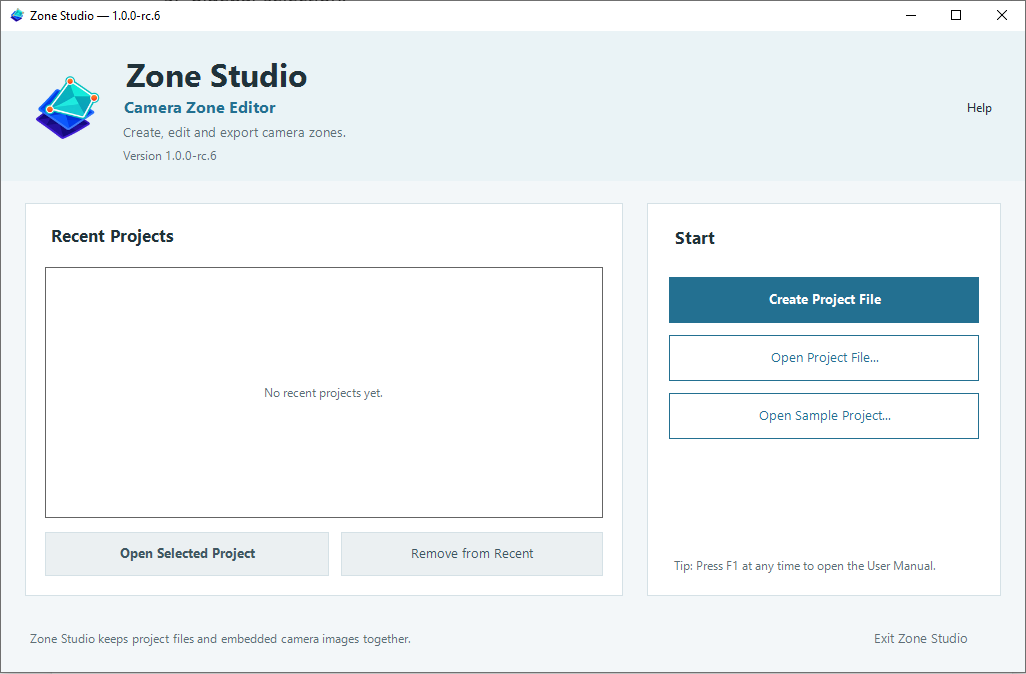
Use this to save, reopen and continue editing. Release Candidate · 1.0.0-rc.6
Visually create and edit camera zones, then export them as Frigate YAML or portable Zone Data JSON.
Free to download and use · Windows 10 or later x64 · 62.3 MiB
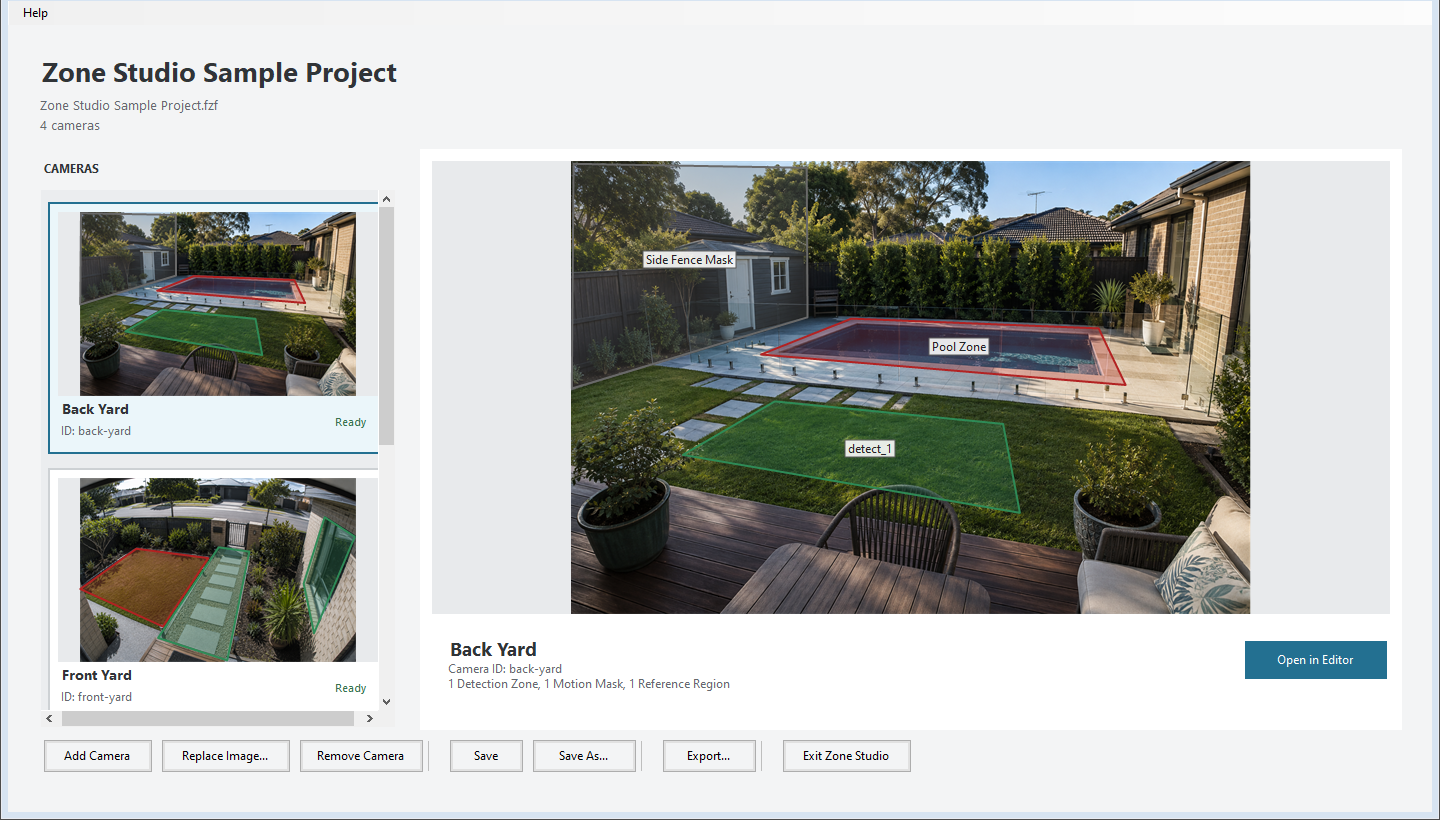
Draw polygons directly over a camera image, then move vertices or whole edges until each boundary follows the scene. Add and remove points, rename regions, change their type, and use undo or redo while you refine the result.
Zone Studio supports Detection Zones, Motion Masks and Reference Regions across every camera in the project.
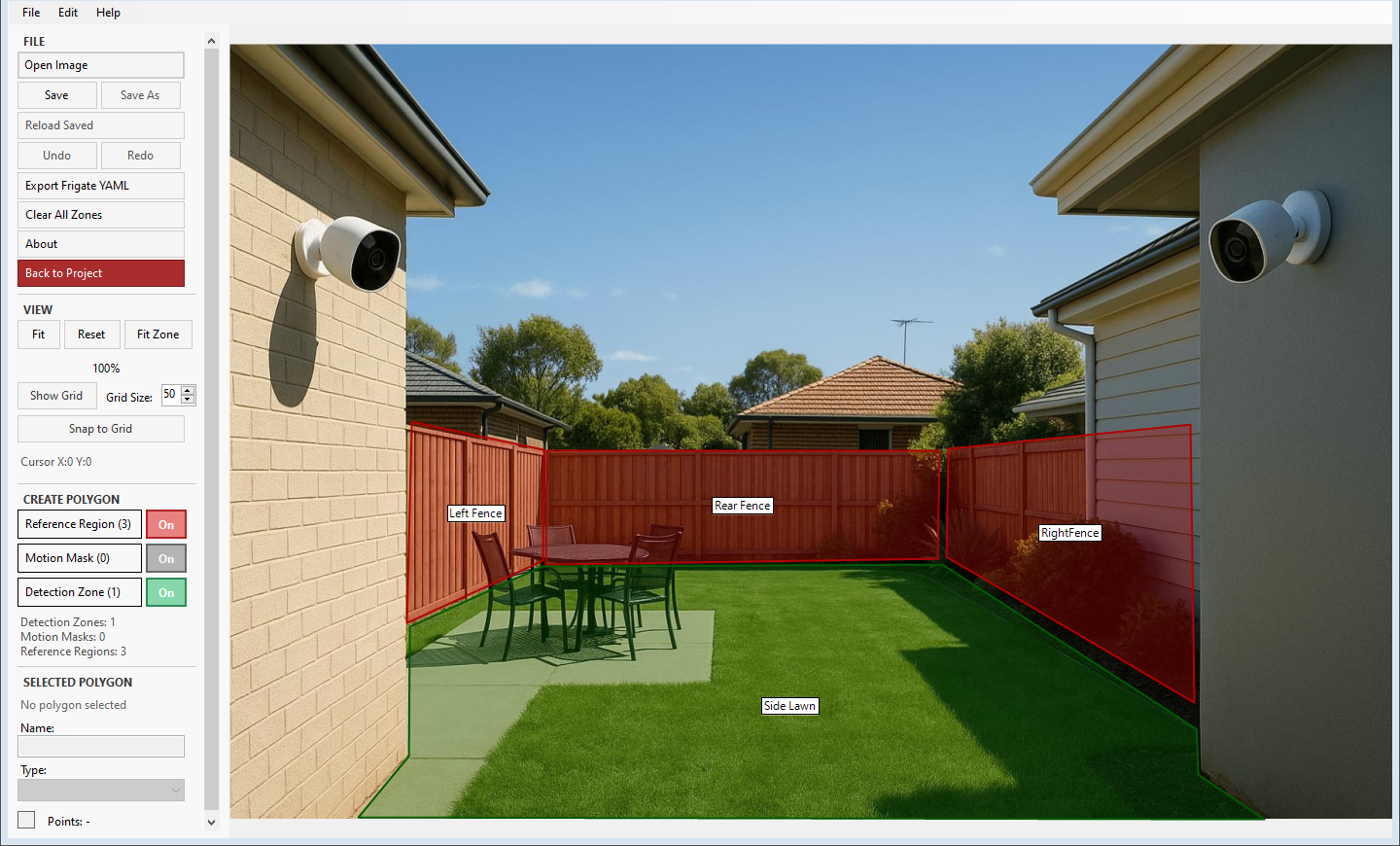
RC.6 includes a sanitized four-camera sample project covering front yard, back yard, side garden and garage scenes. Open it from the startup screen, choose where to save an editable copy, and explore all three polygon types.
These formats serve different purposes and are not interchangeable.
The supported editable project format. It contains project metadata, cameras, polygon data and embedded camera images in one portable file.
Use this to save, reopen and continue editing.Preview, validate, copy or save compatible zone and mask configuration for one camera or the complete project.
Zone Studio does not merge or validate a complete Frigate configuration.Exports cameras, image dimensions, layer types and pixel coordinates without camera images or local source paths.
JSON is an export, not a Zone Studio project file.The self-contained installer includes the local Zone Studio User Manual. Open it at any time from Help > User Manual or press F1. No separate download or internet connection is required.
Zone Studio 1.0.0-rc.6 is a self-contained 64-bit Windows release candidate. It requires Windows 10 or later and does not require a separate .NET installation.
Zone Studio is an independent Torus Works product. It is not affiliated with or endorsed by the Frigate project.
Unsigned release candidate for public compatibility testing.
12fbace3ce18876210de224e86763ccfa549858d0b8cecb5e08c645f055c1d87Open PowerShell in the folder containing the installer and run:
Get-FileHash -Algorithm SHA256 .\ZoneStudio-1.0.0-rc.6-win-x64-Setup.exeThe returned hash must exactly match 12fbace3ce18876210de224e86763ccfa549858d0b8cecb5e08c645f055c1d87. If it does not match, do not run the installer and contact support.
Found a problem or have an idea for Zone Studio? We’d like to hear from you.
hello@torusworks.com.auZone Studio is free to use. If you find it useful and would like to support its continued development, you can make an optional contribution to Torus Works.
Contributions don't unlock features and aren't required to use the software.
Support Zone Studio